

The Minecraft modding community is constantly hard at work, giving players thousands upon thousands of options for customizing their Minecraft worlds. While having so many options is a great thing, it can make it difficult to decide which mods to actually play with.
In this list, we’ll go over our favorite Java and Bedrock Minecraft mods available in 2026. We’ve divided the list into Bedrock and Java mods to help you pick mods available for your preferred version. However, keep an eye out as some of our Java mods may work for Bedrock, and vice versa!
10 Best 2026 Minecraft Java Mods
Vanilla Perfected
- Creator: demonjoetv
- Download Link: Modrinth
When modding Minecraft, many players envision unique new areas, unheard-of mobs, and making their world more customized. This modpack focuses on adding mods that improve the experience of playing Minecraft while still leaving it vanilla. It’s perfect for players new to modding or those who want to add just a little spice to their typical gameplay. The modpack adds beautiful new shaders, better optimization, and new aesthetics that improve items like the bucket. It is also very beginner-friendly and easy to customize, so you can experience Minecraft exactly how you want.
Nekoma’s Fixed
- Creator: Green_jab, Nekoma, VelocyBlue, Akshaj, CyberModder10C, Krisendo, Strikey5852
- Download Link: Modrinth
Nekoma’s Fixed is another mod that takes vanilla Minecraft and improves it to an incredible degree. Unlike Vanilla Perfected, this mod focuses on adding new items, mods, and resources, as well as improving base-game items. New additions include baobab trees, Mooblooms, and a new Nether boss. Reworked items include melon blocks, cakes, and clocks.
YUNG’s Better End Island
- Creator: Refresh Studios
- Download Link: Modrinth
YUNG’s Better End Island mod is proof that good mods can stand the test of time. Although this mod is several years old, it is still being updated and works for newer versions of Minecraft (although it is not yet available for 26.3). The Better End Island updates the End Dimension with revamped obsidian pillars, a new spawn layout, and a bell tower that causes the Ender Dragon to spawn. Additionally, this is not the only area that Refresh Studio has redesigned. They also have YUNG’s mods for Ocean Monuments, Desert Temples, Jungle Temples, Mineshafts, and more. These mods can be combined to enhance the natural structures of any Minecraft world.
Jurassic World Rebirth
- Creator: Kesselot
- Download Link: Modrinth
One of the best parts of modding Minecraft is that the sky is the limit. The Jurassic World Rebirth modpack fills any world with new prehistoric creatures and biomes to explore. Spend your time admiring the many dinosaurs on land, air, and sea while gathering their eggs and bones to bring even more dinosaurs to life.
Verity JE
- Creator: Varmite, thatmobyt, Blockmaster29, JJack498
- Download Link: Modrinth
Verity JE has been one of the most talked-about Minecraft horror mods in 2026, along with The Broken Script. This mod was inspired by a Minecraft short movie posted by ThatMob, adding the AI companion from the movie into the game. Verity is a very helpful companion to have while playing through a survival world. However, failing to keep him happy transforms him into the most dangerous hostile entity you’ve ever encountered.
Animal Garden
- Creator: Aquarius.playz
- Download Link: Modrinth
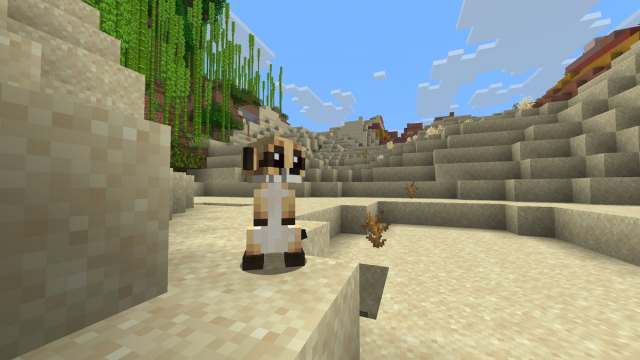
The Animal Garden mods by Aquarius.playz add a variety of adorable and tameable mobs into Minecraft. There are over 30 animals available, including Meerkats, Bull Sharks, Sea Otters, and Sugar Gliders. Each animal has its own mod, making it easy to add only the ones you truly want to your game. These mods are the perfect way to add more animal variety to any custom modpack you create.
Hybrid Aquatic
- Creator: Hybrid Labs
- Download Link: Modrinth
Are you feeling like Minecraft oceans haven’t gotten the love they deserve? The Hybrid Aquatic mod might be just what you are looking for! It adds a variety of fish, sharks, and other animals to the waters of Minecraft. These include Vampire Squids, Flying Fish, Orcas, and Sea Slugs. The mod also introduces new ocean-based blocks and an undersea miniboss with a few hostile minions.
Fauna and Orchestra
- Creator: Owlest
- Download Link: Modrinth
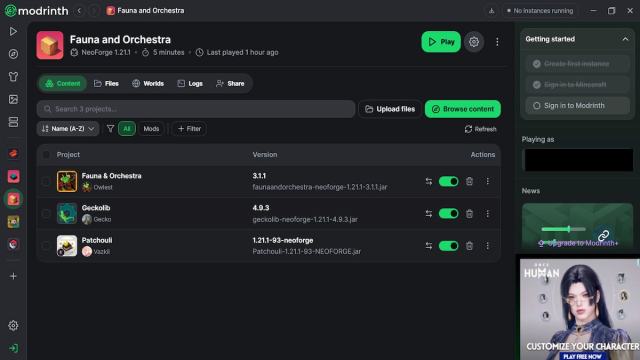
Fauna and Orchestra is a unique Minecraft story mod where you befriend animals and provide them with instruments to form a small orchestra. Players will need to craft instruments, explore new lands, hire Koala workers, and determine the type of musical magic, or melomancy, they want to commit to. Every step they take brings them closer to taking on the final boss of the story, The Great Composer.
The Deep Void
- Creator: Sombrius
- Download Link: Modrinth
The Void is a terrifying new dimension players travel to after falling through a hole in the world’s bedrock at coordinates 0, 0. This dimension is full of nightmarish hostile mobs waiting for the perfect opportunity to attack you. Staying in the light is ideal, but every light you place will be destroyed by the dimension’s mobs. You’ll only be able to leave this area after crafting a Void Pendant. It’s a great place to train and fight tough enemies, but only truly prepared adventurers will survive.
Homestead
- Creator: CozyStudios
- Download Link: Modrinth
Homestead was one of the mods featured in our YouTuber Mods article, and for good reason. It creates a cozier version of Minecraft, complete with an adjusted day and night cycle, a reworked End Dimension, new blocks, items, fish, and even quest lines. You can also cook up over 200 unique dishes and drinks. If you’re looking to revamp Minecraft into a cozy farming and cooking sim, this is the pack you’ll want to try out.
10 Best 2026 Minecraft Bedrock Mods
Biomes O’ Plenty
- Creator: 4KS Studios
- Download Link: Minecraft Marketplace
- Marketplace Price: $5.99
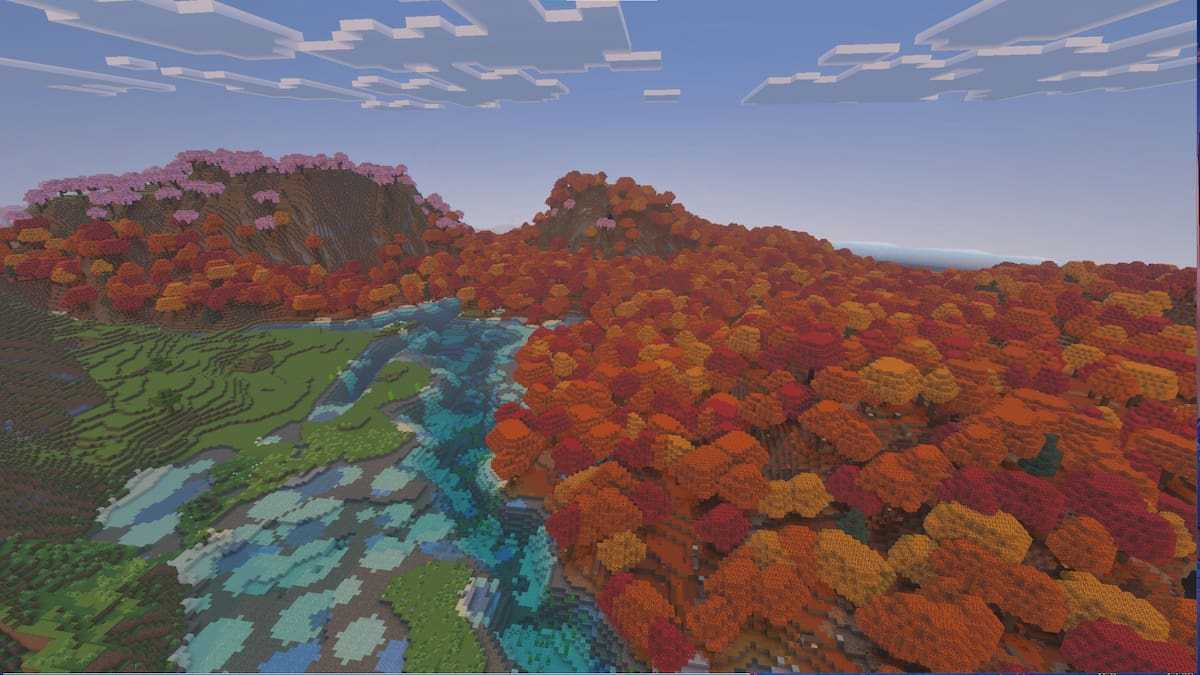
Biomes O’ Plenty has been a beloved Java Edition mod for years, but has finally been released for Bedrock Edition this year. This mod adds over 50 new biomes to Minecraft, including forests of tall flowers, fields of lavender, barley-covered prairies, and lava-covered volcanoes. Each biome comes with its own unique plants and trees, giving players access to a plethora of new materials for building and decorating.
Alylica’s Dungeons
- Creator: Alylica
- Download Link: CurseForge
Alylica’s Dungeons mod adds elements from the original Minecraft Dungeons into ordinary Minecraft. This adds a ton of new monsters to the game, including minibosses, regular and ancient bosses, and new variants of vanilla Minecraft’s hostile mobs. As part of fighting the Ancient Bosses, players will have the opportunity to fight their way through unique dungeon dimensions. It is the perfect way to test your combat prowess, or to relive playing through Minecraft Dungeons.
Myths and Magic
- Creator: Alylica
- Download Link: CurseForge
The third mod on our list is another from Alylica. This one focuses on adding magic into Minecraft through new mobs, tools, structures, and over 30 spells to cast. Players will need to balance their spellcasting tool durability and mana while exploring and battling hostile mobs. Along the way, you’ll have the opportunity to meet plenty of new creatures, both hostile and friendly. Players who spend their time exploring everything the mod has to offer may even travel to a strange new realm.
Palcraft
- Creator: Iced_Fox_Studios
- Download Link: CurseForge
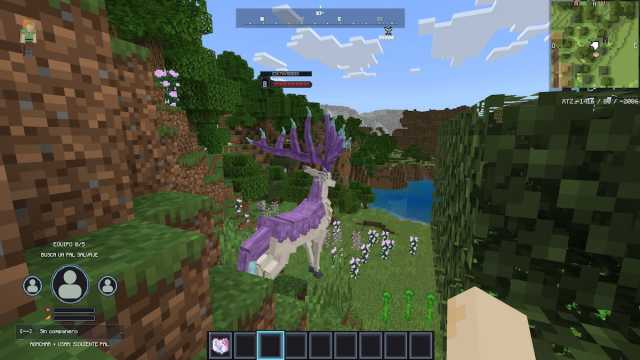
We’ve all heard of Cobblemon, but did you know that Palcraft is currently in the making? This modpack was first published on CurseForge at the end of September 2026. Currently, there are 17 Pals available for players to catch, including Chillet, Depresso, and Fuack. Although the modpack is currently in the early stages of development, it is still a fun experience for Pal Lovers to try while waiting for their favorite Pals to be added.
Better on Bedrock
- Creator: xxpoggyislitxx
- Download Link: CurseForge
Better on Bedrock is exactly what its name implies: an improved version of Minecraft Bedrock Edition. New structures have been added to the game, and some older structures have been redesigned. The mod also includes an End Dimension redesign, plenty of new items, new mobs, and unique boss enemies. If you want only a single mod to take your Bedrock world to the next level, this is the one to choose.
Paws and Claws
- Creator: Iced_Fox_Studios
- Download Link: CurseForge
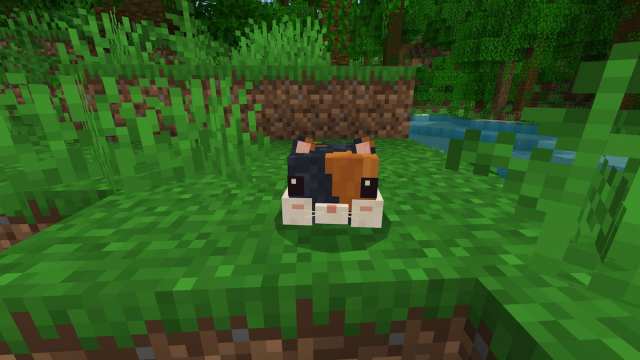
One of the biggest benefits of Minecraft mods is that you can add all your favorite creatures into your world. This pack focuses on adding adorable rodents, like hamsters and sugar gliders, plus cute outfits and toys for them to play with. With 11 types of rodents to choose from, you’re sure to find a lovely pet to keep you company while you build your base.
Monster Structures
- Creator: XiaoCraft
- Download Link: CurseForge
Nothing makes Minecraft more difficult than structures transforming into giant monsters when you approach them! Seven types of structures in the Overworld now have a chance of generating as mimic-like monsters. If you don’t disturb the monsters, you’ll never have a clue of their true identity. However, one wrong move is all it takes to become the victim of these towering entities.
Nature’s Smallfolk
- Creator: MrsTrader
- Download Link: CurseForge
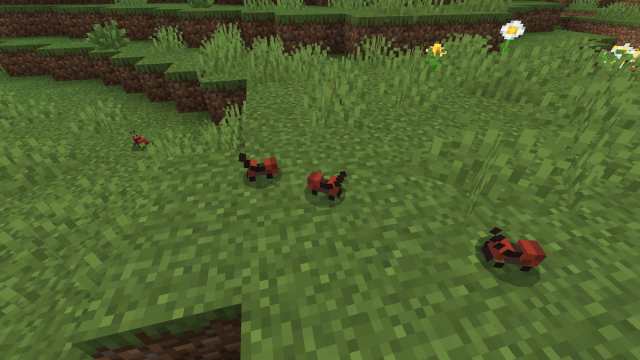
Sometimes, it’s the little things that matter. Or, in this case, it’s the little bugs that matter. The Nature’s Smallfolk pack adds lots of tiny critters into your world. You’ll find ants gathering food, fireflies lighting up Swamp biomes, and tarantulas running about. Many of these are neutral to the player, although some will become aggressive and inflict poison or deal damage. You can watch them as they explore the world at their own pace. If you’re a collection-focused player, you can also use the newly added glass jars to capture and display the different bugs you find.
Villager News Add-On
- Creator: Oreville Studios
- Download Link: Minecraft Marketplace
- Marketplace Price: $6.99
Whether you are a fan of watching Villager News or not, the Villager News add-on is a very fun mod. It allows villagers to talk and give a myriad of reactions to any of your actions, from purchasing things to pushing them and hitting them. Discovering each new reaction is hilarious, and it adds a lot of fun personality to the otherwise stern villagers.
Random Drops
- Creator: TryzzMC
- Download Link: CurseForge
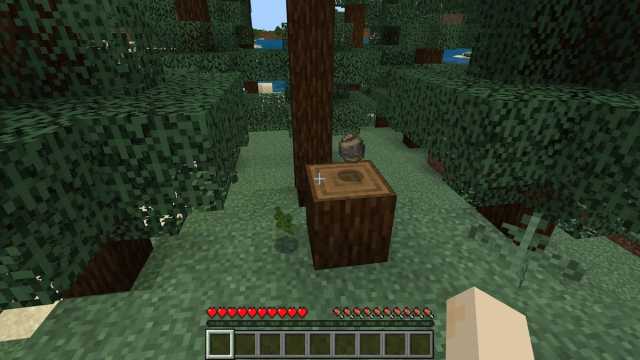
Everyone starts their Minecraft Survival worlds doing the same thing. You chop down a tree, gather wood and stone, then make stone tools to really begin progressing in the game. However, what would you do if getting the blocks required for tools was a gamble? This mod tests your luck by randomizing every single item drop in the game. It would be fun for a survival challenge or a hardcore archipelago with friends.
How to Mod Minecraft
How to Add Mods to Minecraft Java Edition
We’ll walk you through two easy ways of installing mods on Minecraft Java Edition. The first involves installing mods using a modding platform. I prefer Modrinth, but CurseForge is also an available option. To use either of these platforms, you just need to download their app from their official websites.
Afterward, you can browse through all of their available mods, install the ones you want into modpacks, and open Minecraft directly from the launcher to play each mod. It is the easiest way to mod Minecraft in 2026.
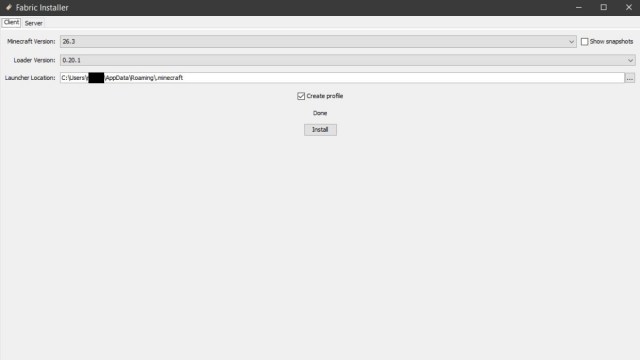
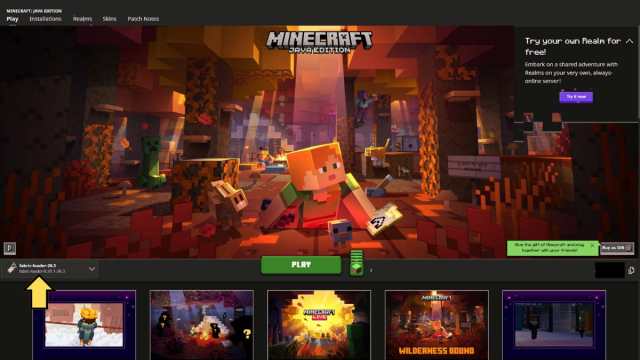
Players can also install mods directly into Minecraft. To do this, players will first need to install the Forge or Fabric Loader. I chose to install Fabric, which is found here. Open the file, select the version you would like to mod, check the create profile box, and hit Install.
This will create a new profile on your Minecraft launcher. Use the created profile whenever you want to play with the mods you’re adding directly into the mods folder.
Now you can add mods to your mods folder. First, you’ll need to open the Minecraft mods folder. Open the folder by doing the following:
- Open the Minecraft launcher and start the game.
- Click the options button.
- Select the Resource Packs button. It is above the bottom-left button that reads “Telemetry Data”.
- Click the Open Back Folder button in the bottom-left corner to open the Resource Packs folder.
- If you are only installing a Resource Pack, unzip it and put it in this folder. Otherwise, follow the next three steps.
- In the resource packs folder, look at the directory. You’ll want to click on .minecraft.
- Look through the list of folders in the .minecraft folder.
- If there is a mods folder, click it.
- If there is no mods folder, create one and enter it.
- Now you can drag and drop your mods into this folder.
- Make sure you unzip your mods before adding them directly into the folder. Do not leave them as folders; add each mod directly into the folder.
- If you used the Fabric Loader, it is highly recommended to also install the Mod Menu mod. This mod will allow you to view your mods while playing Minecraft.
With that, all of your mods should be added to Minecraft. Launch Minecraft from your chosen Fabric or Forge launcher to make the mods appear in your game.
How to Add Mods to Minecraft Bedrock Edition
Players can mod Bedrock Edition through one of three methods:
- Using the Bedrock Marketplace
- Using a modding platform.
- Installing mods directly.
The easiest method is the Bedrock Marketplace. Simply enter the Marketplace, purchase the mods you’d like, and install them straight into your game. Players who want to avoid spending extra money will find free mods in the marketplace.
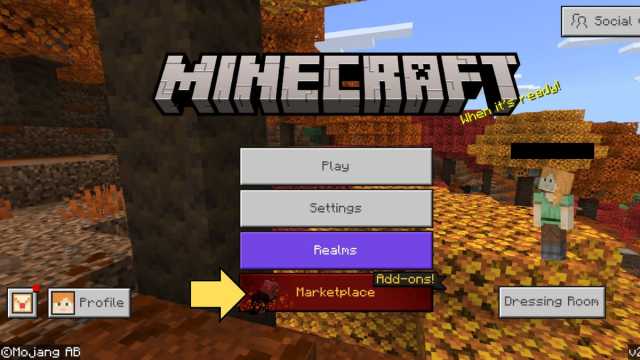
Players may also use CurseForge to install and play mods on Bedrock Edition. All that is required is downloading the app, connecting it to Bedrock Edition, and installing any mods you like. Afterward, launch the game directly from CurseForge to begin playing with your selected mods.
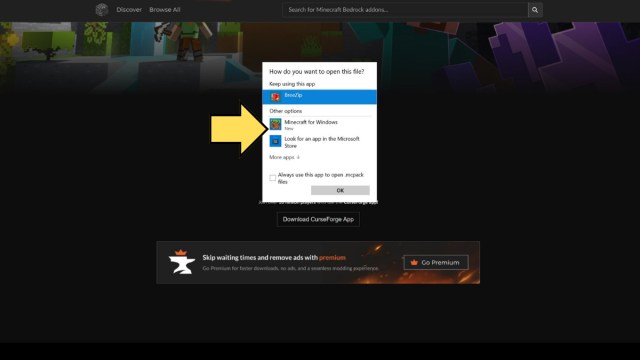
Installing files directly into Bedrock Edition is a lot easier than doing it for Java Edition. Start by downloading a mod that you are interested in, preferably while Minecraft is closed. They should end in .mcpack or .mcaddon. When the file has been downloaded, select the option to open it with Minecraft for Windows. This will automatically open Minecraft Bedrock Edition.
An import notification should appear at the top of your screen. When the mod has been imported, the text will change to say the mod’s name and that its import is complete.
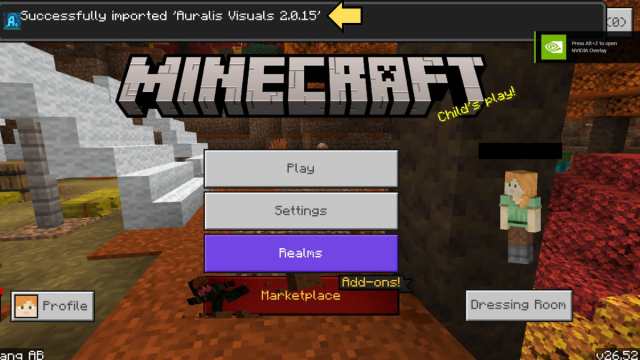
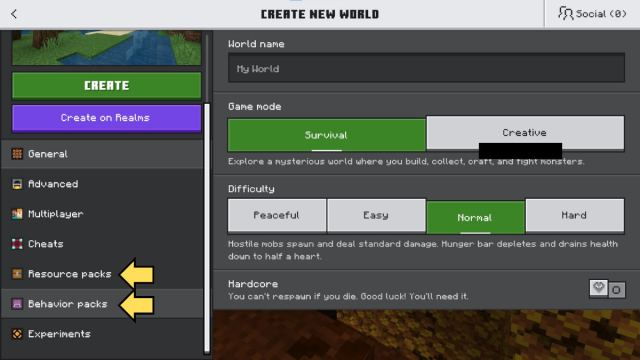
These mods can now be added to newly created worlds. While creating a world, go to the resource packs button to activate your resource packs and the behavior packs button to add any other mods to your world.
That concludes our list of the Best Minecraft Mods of 2026 and our tutorials for downloading them. If you’re looking to explore more Minecraft mods, like our Best Minecraft Shader Mods article, check out our Minecraft guides hub.

Published: Oct 27, 2026 01:39 am